J-Perk7.0
Publisher Description
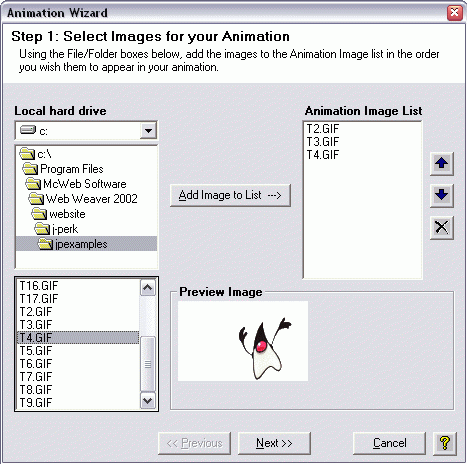
J-Perk adds animations, dynamic buttons, slideshows, Javascript effects and DHTML scripts to your Web pages quickly and easily. It includes more than 55 special effects that are easily customizable to make your Web pages come alive! J-Perk's Special Effects wizards step you through the creation of each Special Effect and then creates your customized effect with the click of a button. Preview it and then J-Perk helps you put the Special Effect in your Web page and it's ready to go! J-Perk special effects include animations, slideshows, rotating banners, Dynamic Buttons, Status Bar Text Ticker, Typewriter Text, Swirly Text, Image Fader, Rotating Image Cube, Fading Messages, Dropdown menus, Personalized Web pages, Background Color Fade in/Fade out and many more!
Check our Web site for 30 to 50% off when you purchase J-Perk!
Includes new special effects: Thought Bubbles, Tooltips, Scrolling Filmstrips, and Scrolling News Ticker!
About J-Perk
This program is available in English. It was last updated on 29 September, 2026. J-Perk is compatible with the following operating systems: Windows.
The company that develops J-Perk is mcweb-software-inc. The latest version released by its developer is 7.0. This version was rated by 1 users of our site and has an average rating of 4.0.
The download we have available for J-Perk has a file size of 7.9 MB. Just click the green Download button above to start the downloading process. The program is listed on our website since 2005-02-04 and was downloaded 74 times. We have already checked if the download link is safe, however for your own protection we recommend that you scan the downloaded software with your antivirus. Your antivirus may detect the J-Perk as malware if the download link is broken.
How to install J-Perk on your Windows device:
- Click on the Download button on our website. This will start the download from the website of the developer.
- Once the J-Perk is downloaded click on it to start the setup process (assuming you are on a desktop computer).
- When the installation is finished you should be able to see and run the program.
Program Details
System requirements
Download information
Pricing
Version History
version 7.0
posted on 2005-02-04
added 4 Special Effects
